Partners Management
The Partners module allows you to manage all business partnerships, track partner information, and monitor shared transactions between your organization and partners.
Partners Overview
✅ Key Features:
- View total number of active partners
- Manage partner contact information and details
- Search partners by username
- Add notes about each partnership
- Track partner transaction history and revenue sharing
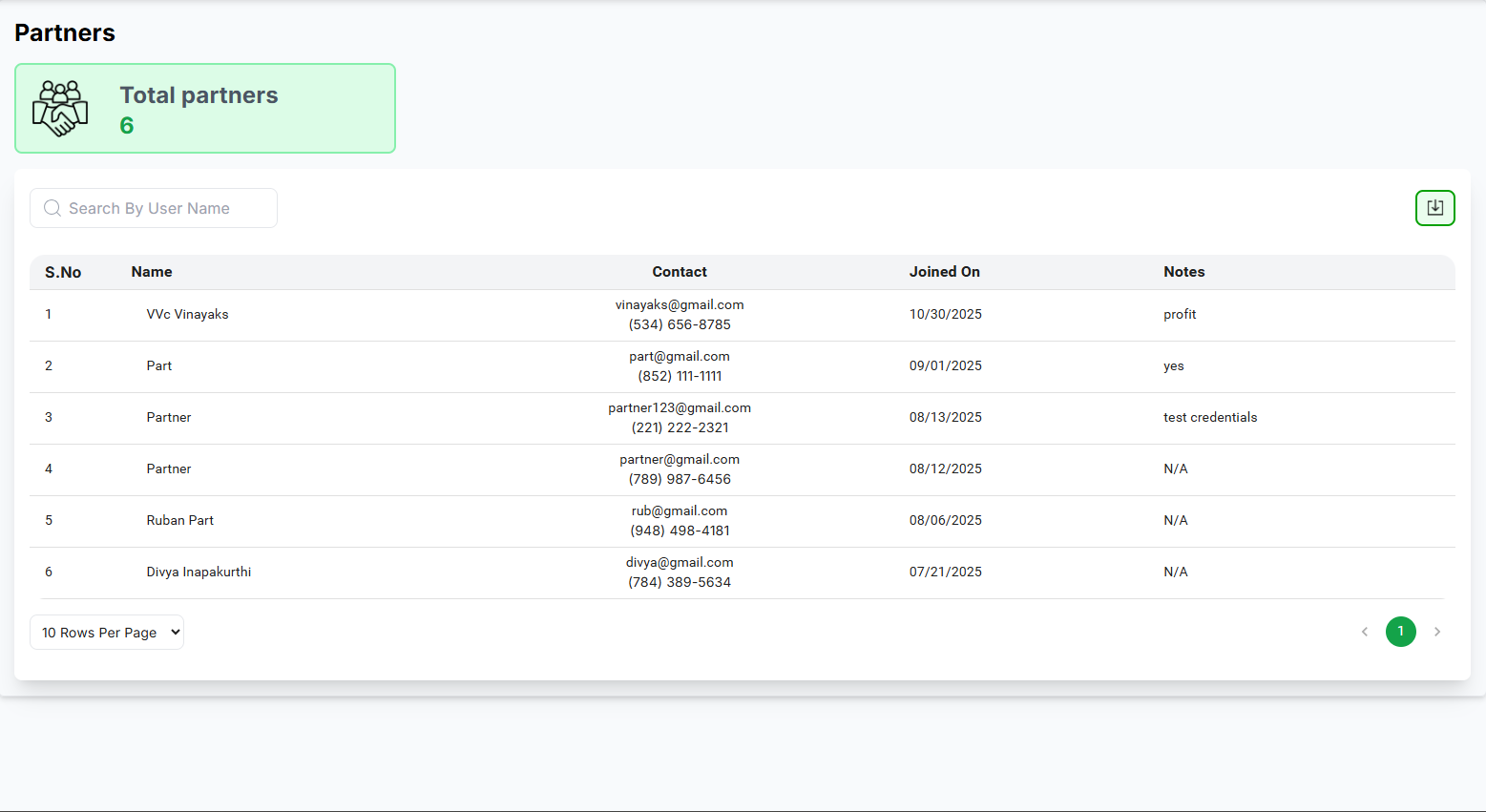
Search Functionality
Quickly locate specific partners using the Search By User Name feature:
- Enter any part of the partner's username
- Results will filter automatically as you type
- Clear the search field to view all partners
Partner Transactions
✅ Transaction Monitoring:
- Total Service Share: Revenue share from services
- Total Products Share: Revenue share from product sales
- Total Transactions: Count of all partner transactions
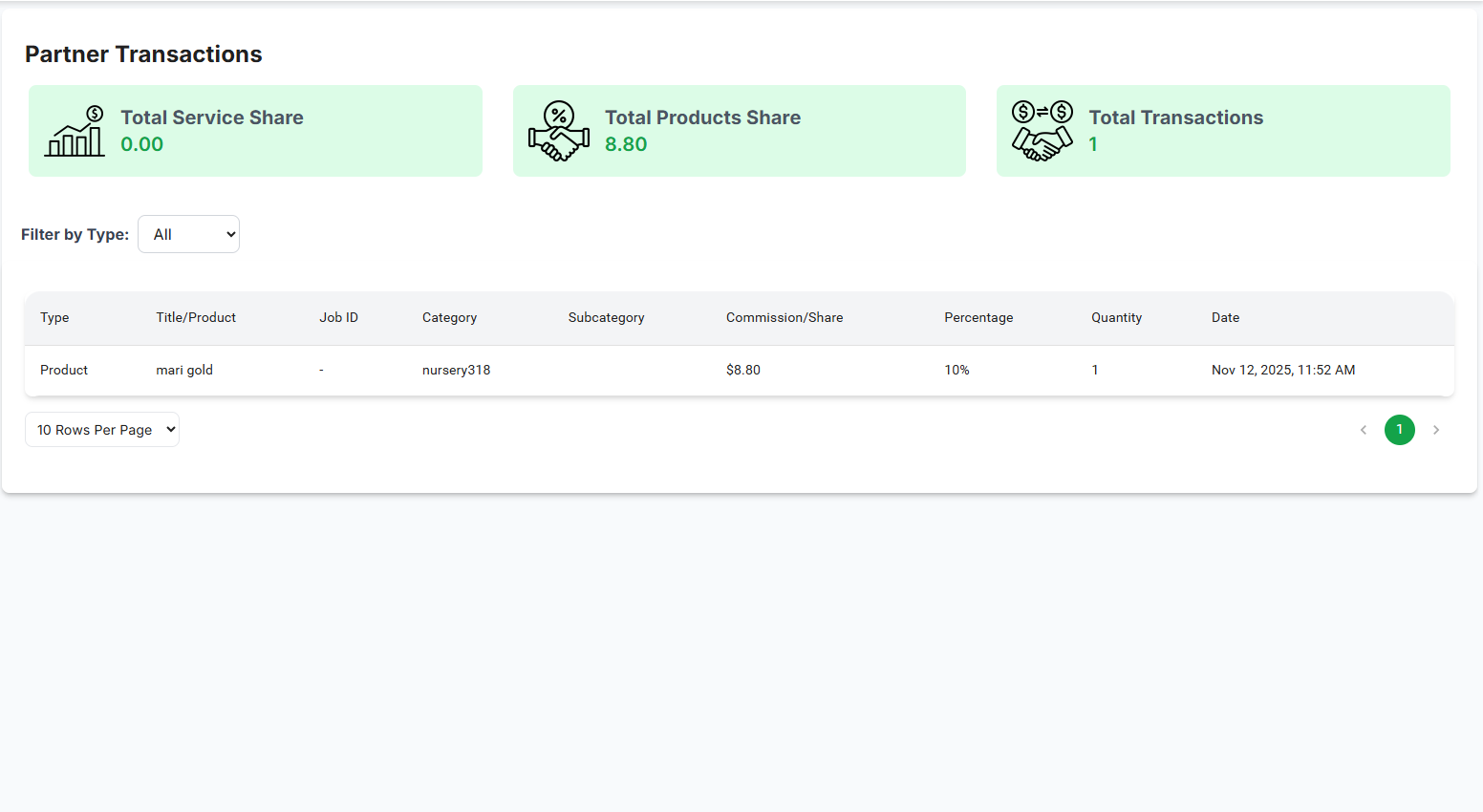
Filtering Transactions
Use the Filter by Type dropdown to view specific transaction types:
- All: Shows all transaction types
- Services: Only service-related transactions
- Products: Only product-related transactions
Managing Partner Notes
✅ Best practices for partner notes:
- Record important partnership details and agreements
- Note any special terms or conditions
- Track partnership milestones and achievements
- Keep contact information up-to-date
- Use "N/A" when no notes are required
Pagination Controls
Navigate through partner records efficiently:
- Rows per page: Select how many records display (10, 25, 50, 100)
- Use the pagination controls to move between pages when applicable
Pagination Controls
Navigate through partner records efficiently:
- Use the rows per page dropdown (▼) to select display density
- Default shows 10 rows per page (e.g., 5, 10, 15, 20)
- Use pagination controls when you have more vendors than fit on one page (e.g., Prev, Next)
